> ## Documentation Index
> Fetch the complete documentation index at: https://docs.iremember.app/llms.txt
> Use this file to discover all available pages before exploring further.
# Entries - add your content
Entries are your content within chapters. Each entry starts on a new page. You can add up to four (4) per entry
### Add an entry
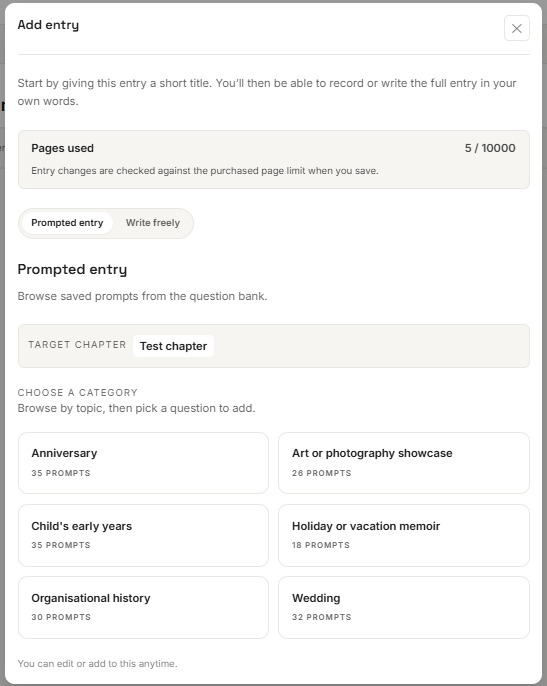
Select 'Add entry' from the ribbon then title your entry.
Prompted entry titles are can be selected from the question/prompts bank under each book category.
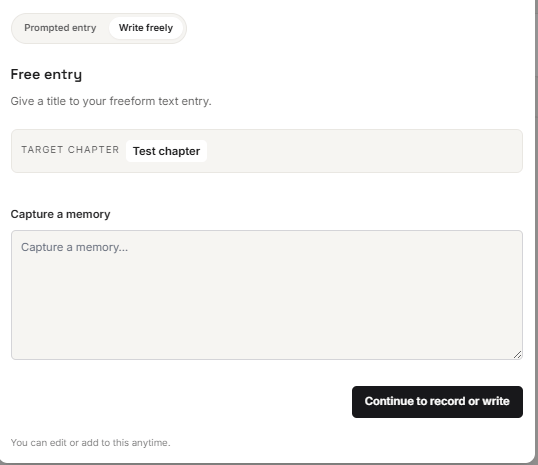
You can create your own title under the 'Write freely' option.
 #### Select an entry prompt
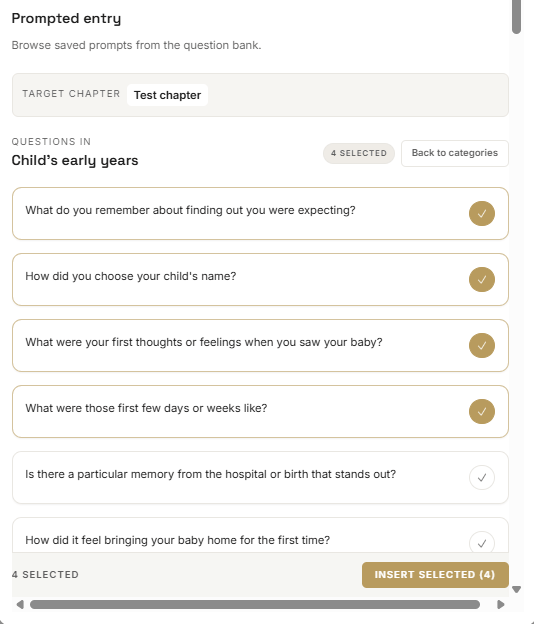
Select prompts from the relevant book category (note you can select more than one prompt /question) then select 'Insert selected'. The prompt/questions become your entry title. Entry titles can be changed at any time before printing your book.
#### Select an entry prompt
Select prompts from the relevant book category (note you can select more than one prompt /question) then select 'Insert selected'. The prompt/questions become your entry title. Entry titles can be changed at any time before printing your book.
 ### or write your entry title
Create your own entry title under the 'Capture a memory' field then select 'Continue to record or write'. Entry titles can be changed at any time before printing your book.
### or write your entry title
Create your own entry title under the 'Capture a memory' field then select 'Continue to record or write'. Entry titles can be changed at any time before printing your book.