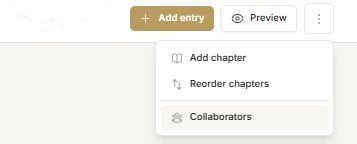
To invite other people to work with you on your book select ‘Collaborators’ from the dropdown menu under the 3 elipses (vertical dots) in the top right side of the ribbon.
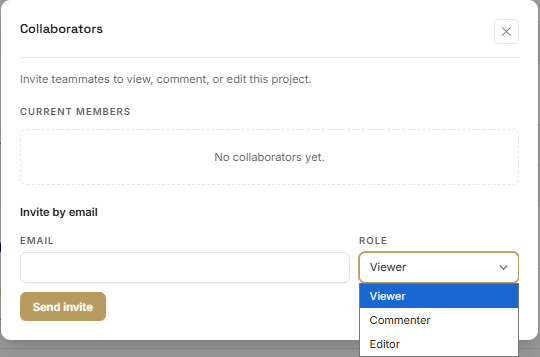
Add the email address of your collaborator and select their role from the dropdown list. They can be a viewer, commentator or editor.
Viewers can see the story come together but cannot comment or make edits.
Commentators can view and make comments on individual entries.
Editors have full access to view, comment and edit your book.
Collaborators will receive an email with a link to create an iRemember account. Their dashboard will contain the story you are working on together.